
The Owner's Home Screen provides an "as of now" summary, not a report covering a specific period (for reports covering a specific period, see the "Reports" section).
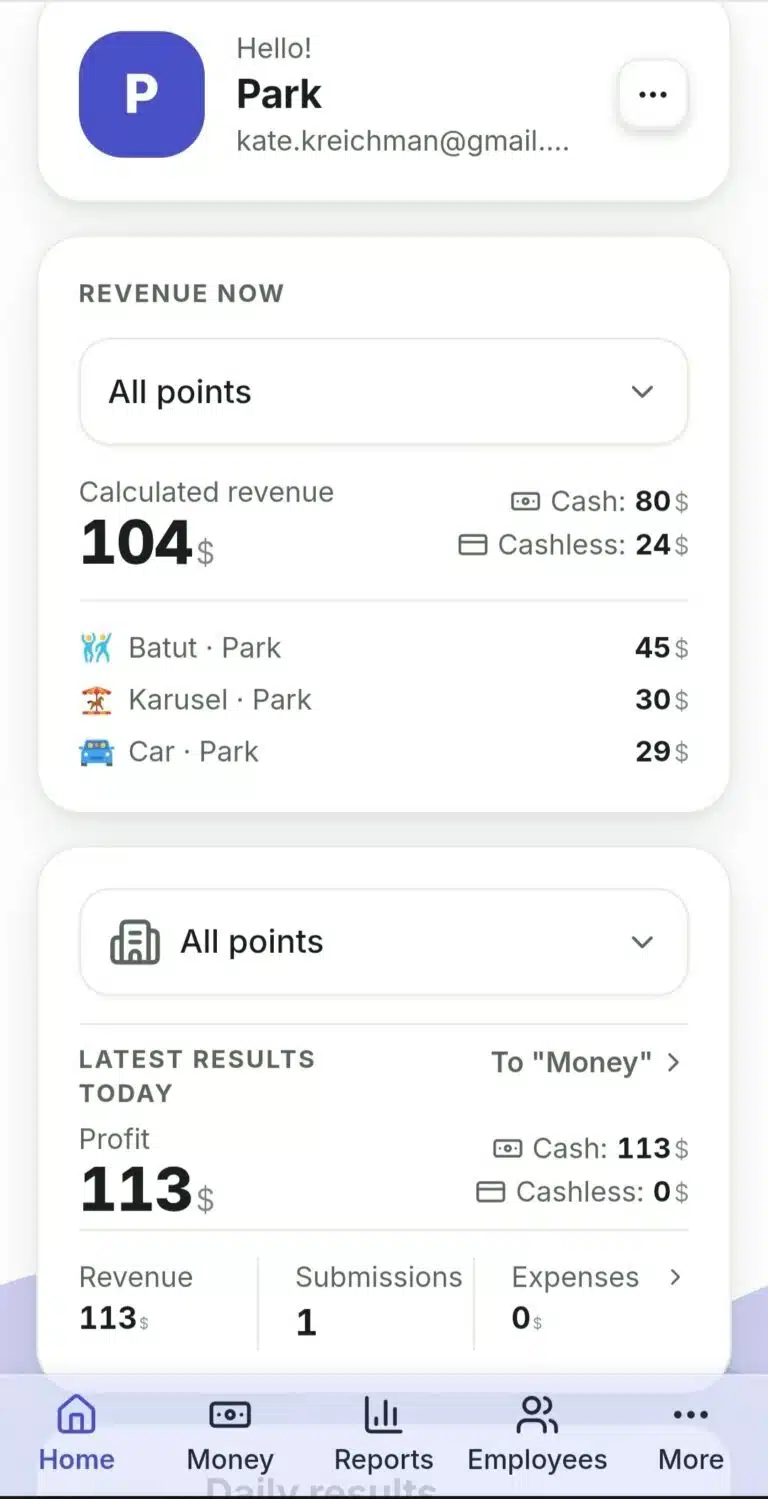
- "Estimated Revenue" — shown only if you have real-time zones (Launches/Stays/Tickets): the amount already accumulated since the last results submission but not yet officially submitted. This is a live, unconfirmed figure.
- How many are running right now. In the list of zones under the calculated revenue, next to the amount, there is a coloured badge with a people icon and a number — that is how many wristbands or launches are open in that zone at this minute. For example, «3» next to «Labyrinth» means there are three children there right now. If the zone is empty, the badge simply does not appear.
- "Latest Results" — already confirmed data from actual results submissions: profit, cash/non-cash, revenue, expenses, number of submissions. You can switch the point — your selection is remembered for your next visit.
- Below are quick links: "Daily Readings", "Zone Balances", "Tasks".
What to Do If… #
…the "Estimated Revenue" and "Latest Results" figures do not match? That's normal—they're about different things: one hasn't been officially submitted yet, while the other has already gone through the confirmed final submission process. Don't combine them.
…there are no "Estimated Revenue" cards at all? That means none of your zones have a real-time accounting mode — there is no such card for "Counters" or "Cash Only".
…there is someone in the zone but its revenue is zero? That is how it should be: the zone appears in the list even when there is no money for it yet — for example, all running sessions were paid with a pass, or the stays have only just started.
…I want to see exactly who is in the zone right now? There is deliberately no list of names on the home screen: the owner sees occupancy as a number, while individual wristbands and launches are handled by the employee in their own app. A specific session can only be closed or changed from there.
 Русский
  English
  Українська
  Italiano
  Română