
The Owner can manually adjust a client's balance — for example, as a bonus or compensation. This is not a till transaction or a sale, it is a direct balance change.
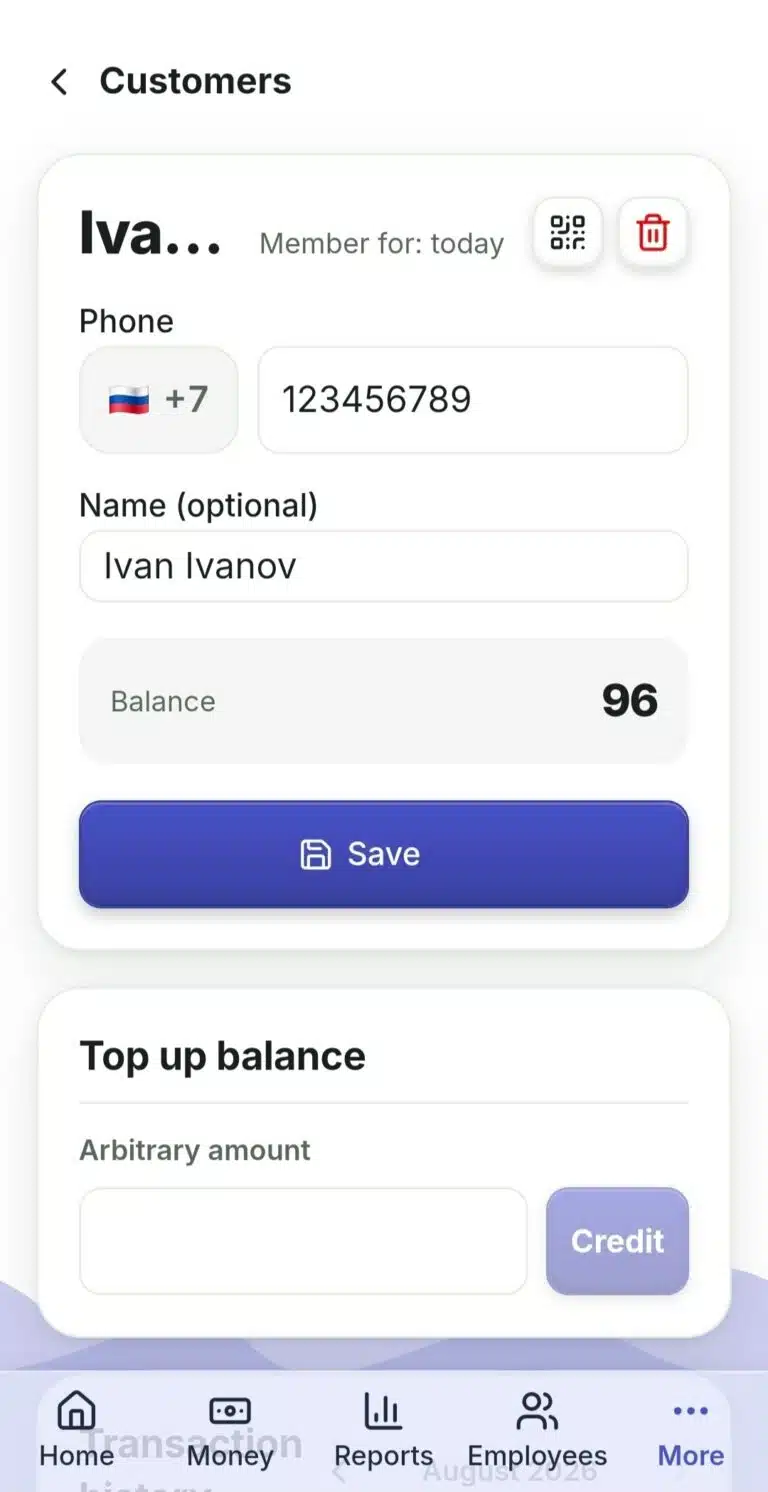
- Open the "Clients" section → "Clients" tab.
- Find the client by phone number or name, or click "Add" for a new client.
- Open the client's profile.
- In the "Top Up Balance" block, enter the amount, click "Credit".
What to Do If… #
…you want to see the client's operation history? It is on the same client page, below — "Operation History", with a month switcher.
…a client wants to check their own balance without asking you every time? On the client profile — a "Balance in Telegram" button: show the QR code, the client scans it once and links their Telegram to the company bot, then they can check their balance themselves at any time.
…a client is no longer needed? "Delete Client" — if there is money left on the balance, the system will warn you it will be written off permanently.
 Русский
  English
  Українська
  Italiano
  Română